
Soonwise app icon

Soonwise

A smarter to-do list, that can forecast when you'll be done.

Syncs across iPhone, iPad, and Mac.

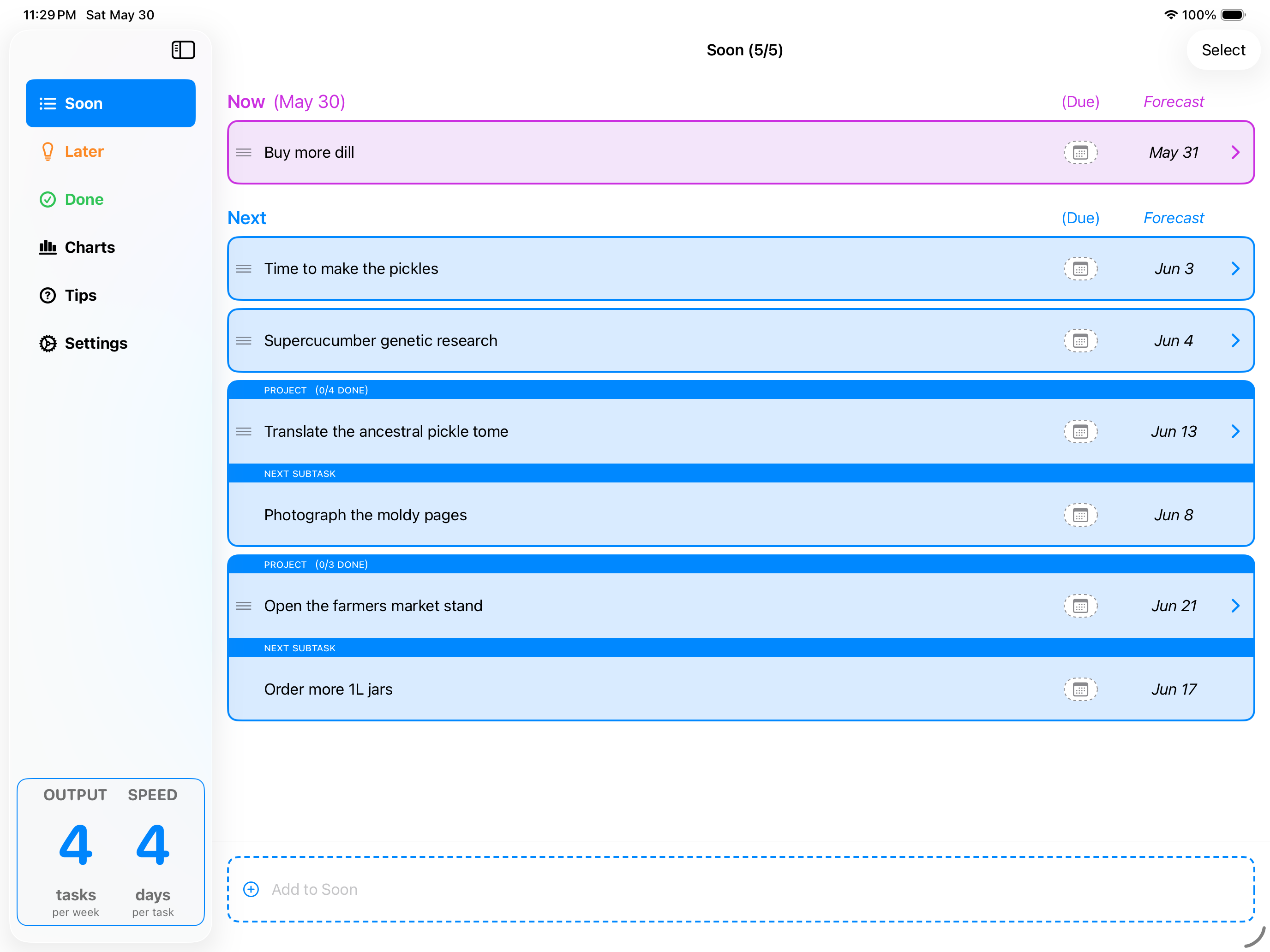
Soonwise on iPad showing the Soon list with forecast dates next to each task
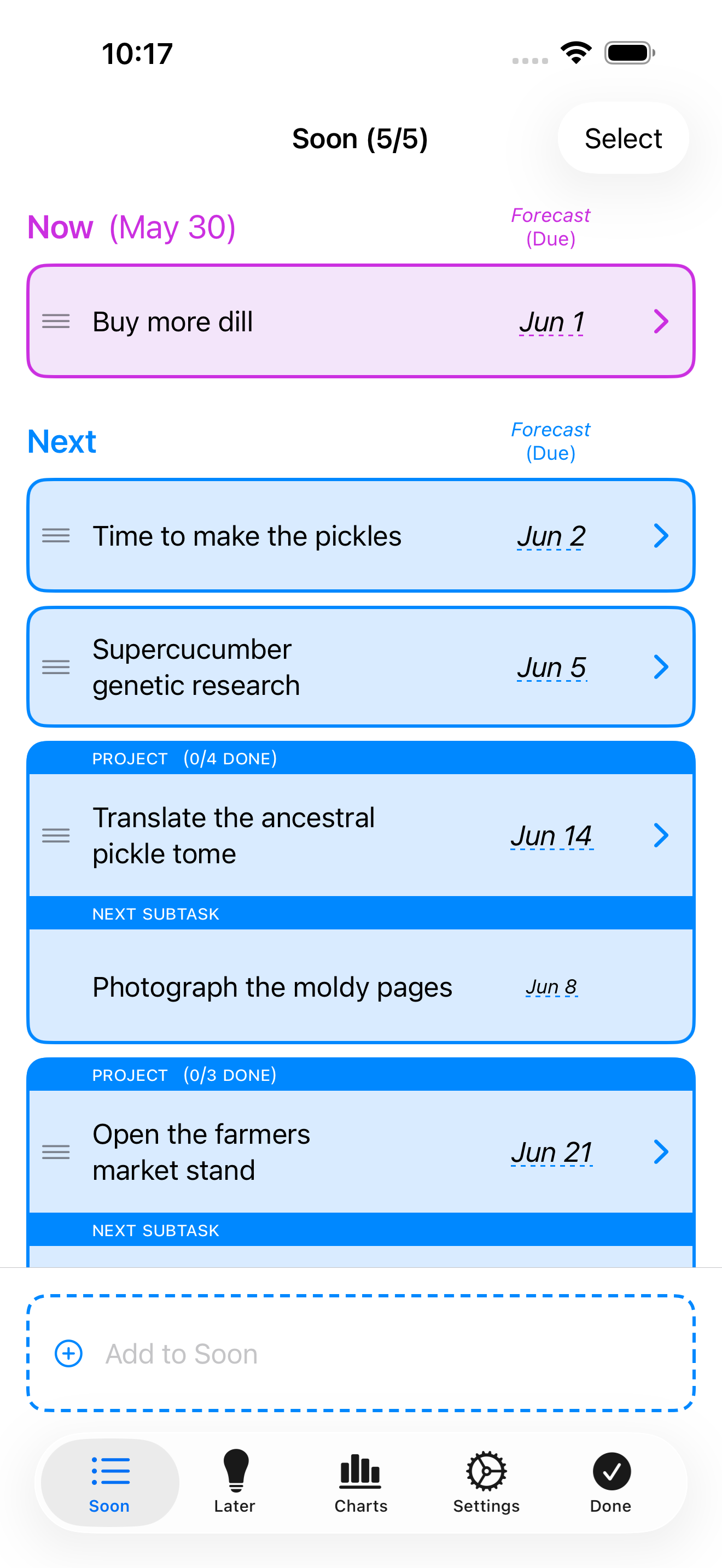
Soonwise on iPhone showing the Now and Next sections with forecast dates

When will you be done—realistically?

Ever been stressed about meeting a deadline? Or worried that you were committing to a date that was too aggressive?

What if your to-do list could help?

Soonwise is a smarter to-do list, designed to reduce your stress by forecasting when your future work will be done, based on your past work. It keeps track of how often you finish your tasks, and how long they take. It charts those numbers for you, so you can understand how you really work.

But its real superpower is that it can forecast how long your future work will take, using advanced statistical methods, and its ever-improving knowledge of your speed in the past.

Workflow

Effortless organization

Your work lives on two screens, each designed to reduce your cognitive load. When you write down a new task, you really only need to ask yourself one question:

Do I need to do this soon, or later?

Soon

This list holds the work that you're doing, or are about to do. It's divided into two sections:

NowThis is the task or tasks you're working on right at the moment. This is what you should focus on.
NextThis is your shortlist: things you're committed to doing in the near future. You can thoughtfully set the priority order of this work.

Later

Everything else goes here, and is kept out of the way until it's worth your attention. These tasks are easy to search, filter and sort:

Must DoWork that you might not be doing for a bit, but must get done. Typically, these are tasks with due dates. Soonwise will remind you that these are waiting for your attention.
Might DoThis is the place for ideas, and things you would like to do someday. You can pick these up when you have the free time or the interest.

For power users, Soonwise also has advanced features like tags, which you can use to organize things however you like. You may not need them, though — these stages are powerful and universal, and can keep your work organized with a minimum of fuss.
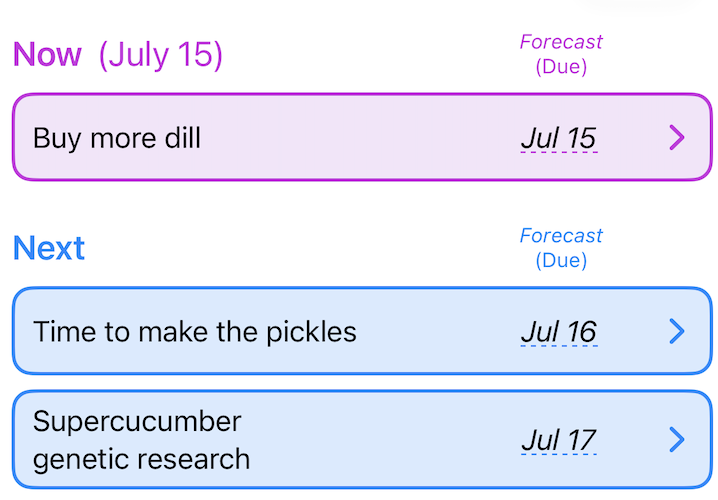
Soonwise showing the Now and Next sections with forecast dates
Now & Next
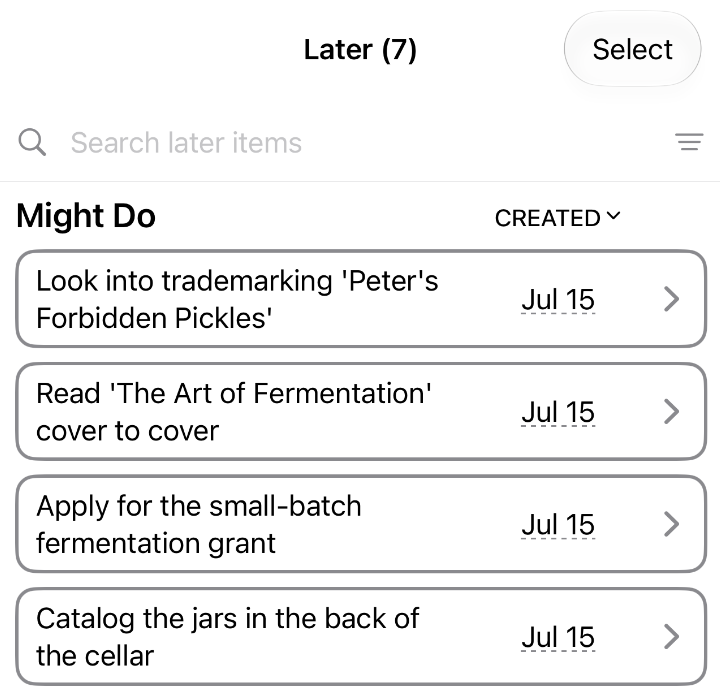
Soonwise Later list showing seven items to search, filter and sort
Later
In the app
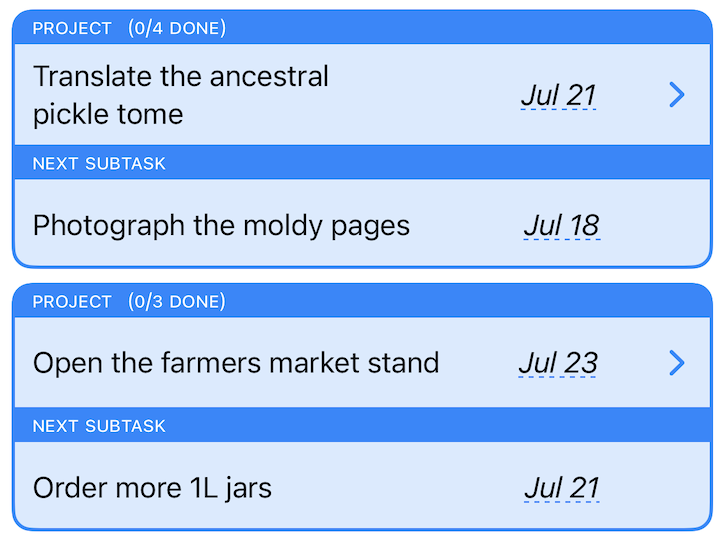
Two Soonwise project cards, each showing the next subtask and its forecast date
Projects with subtasks
Break multi-day projects into small, predictable pieces, prioritize them easily, and get a rollup forecast of the whole thing.
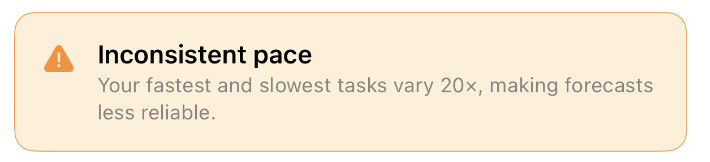
Soonwise contextual tip warning that fastest and slowest tasks vary 20x, making forecasts less reliable
Contextual tips
The advice you need, right when you need it.
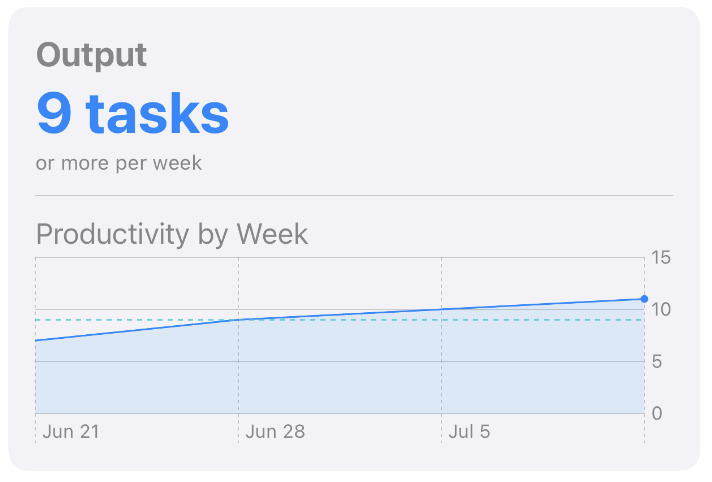
Soonwise Output card showing 9 tasks or more per week and a productivity-by-week chart

Patterns from your past

The Charts tab surfaces what's hidden in your finished tasks: how fast you tend to work, how productive each week has been, and how often you've been finishing on time.

All of this data rolls into your personalized forecasts, but the charts help you understand your own behavior in detail.

Capabilities

All the tools you need to confidently get things done

Adjustable confidence
Tune the forecast to be conservative (safer) or aggressive (sooner).
Adjustable multitasking limits
It's often better to focus on one thing at a time—but I'm not your dad! You can decide how many things you can do at once.
Built for touch
Full gesture support for fast triage on iPhone and iPad.
Works on all your Apple devices
Runs on iPhone, iPad, and Mac.
iCloud sync
Stays current across all your devices automatically.
Home screen widgets
See what's on deck without even opening the app.
Tags
Categorize your work however you like.
Due dates
Sometimes things just have to get done by a date.
Download on the App Store